Talk to an ergo expert: (888) 420-3200 or Email Us

TRP2718S
HYPER-ADJUSTABLE ARM COMBO HAS SUBSTANTIAL VERTICAL RANGE AND GENEROUS TILT
- Arm reaches out a full 26 inches yet folds up neatly into 8.5"
- Cable management controls cords through entire arm
- 18 inches vertical travel when wall mounted
- Effortlessly float your LCD monitor up to 20 pounds
- Sit or stand & comfortably view your LCD
- Please call for questions about vertical extensions
- Compatible with our 192 Pole Floor Mount Systems
- Colors: Black, Metallic Gray and Flat White
- Comes with VESA 75mm and 100mm mounting holes
- Optional braking system locks arm at any vertical position
- Optional limiters provide precise vertical range limits
- Please watch our YouTube Video for tips on installing and adjusting the arm component included with this product
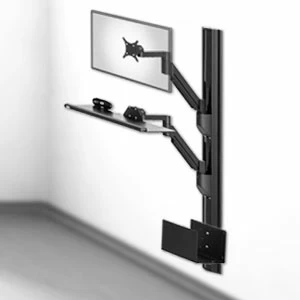
The TRP2718S Premium LCD Arm FlexTray is useful in space sensitive environments. It is an excellent choice for wall mounting for occasional data entry in both standing and sitting positions. This LCD Arm FlexTray assembly is used extensively in medical, dental, manufacturing and industrial work environments. The TRP2718S accommodates flat panel displays up to 20 pounds. The arm and tray rotate an amazing 360 degrees at three pivot joints while cables are routed through the arm. Both monitor and keyboard tray can be tilted at different angles. If you require greater reach or a combo that handles greater payloads, contact Ergomart at 888 420 3200. One more great feature: the arm can be folded so that when not in use it only protrudes about 9 inches from the wall. The brake and vertical travel limiter option allows the user to secure the vertical position with a twist of a knob, while limiters may be set to ensure arm does not go too high or low in a workspace and collide with important equipment or obstacles.
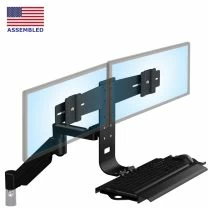
Need two monitors? This mount as also available as the TRP2718D Dual Monitor Arm with Keyboard Tray, providing side-by-side mounting of two monitors.
| Shipping Weight | 35 pounds |
| Shipping Dimensions | 31" x 19" x 9" |
| Warranty | 5 year limited |
Professional installation is always recommended for all wall-mounted Ergomart products. Improper installation may result in injury or damage. Consult Ergomart technical support regarding any mounting concerns or questions.
|
Perspective View
TRP2718S

Front View
Backbar Mounting Locations

Front View
Monitor Mounting Locations

Side View
Monitor Height Relative to Keyboard Tray and Mounting Location

Side View
Full Extension

Side View
Height Adjustment

Side View
Full Retraction

Top View
TRP2718S

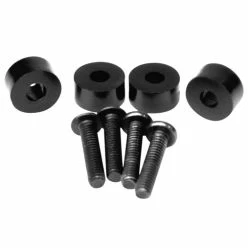
This VESA 1/4-Inch Spacer Kit allows monitors with VESA hole locations that are recessed by 1/4" or less to be attached to an Ergomart VESA plate.
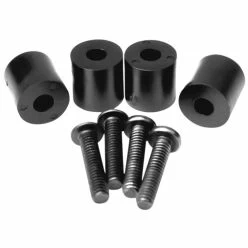
This VESA 1/2-Inch Spacer Kit allows monitors with VESA hole locations that are recessed by 1/2" or less to be attached to an Ergomart VESA plate.

-
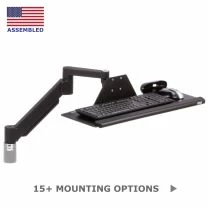 MODULAR SERIES-118 TRS7000 AKP Keyboard Tray Arm
From $330.99
-
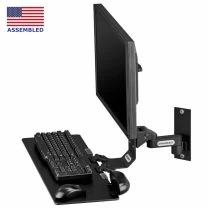 TRS91HD Heavy-Duty Wall Mount Monitor and Keyboard
From $251.20