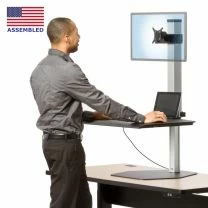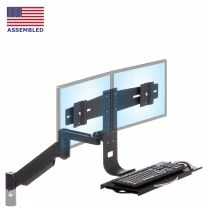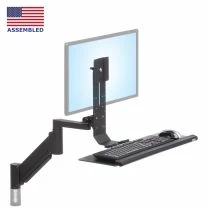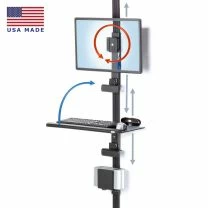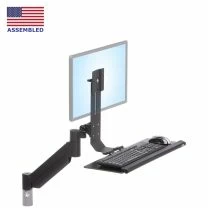
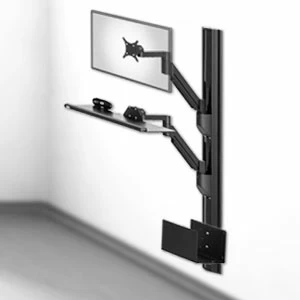
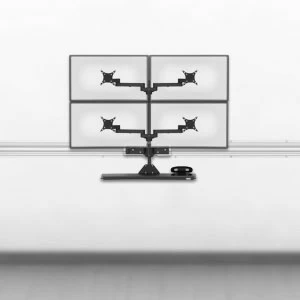
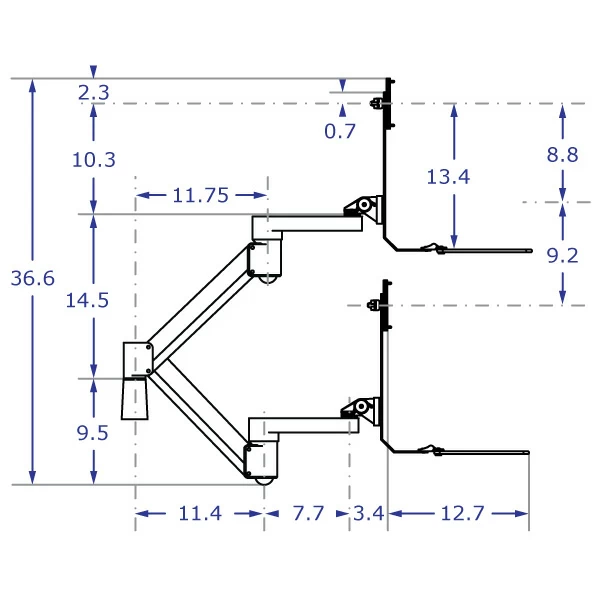
When mounted to a wall or other vertical surface, the arm can achieve its full potential of 18 inches vertical travel. When mounted to a horizontal surface, such as a desk or cabinet top, the surface could impede the lower end of the arm's range. Ergomart offers vertical extensions (see option above) that can raise the entire unit. Using a 6 inch vertical extension will allow the unit to reach full range of motion when mounted to a horizontal surface.
Talk to an ergo expert: (888) 420-3200 or Email Us
SKU
TRS2718
MONITOR ARM WITH KEYBOARD TRAY COMBO SOLUTION
- Up to 17.5" of vertical travel in many configurations
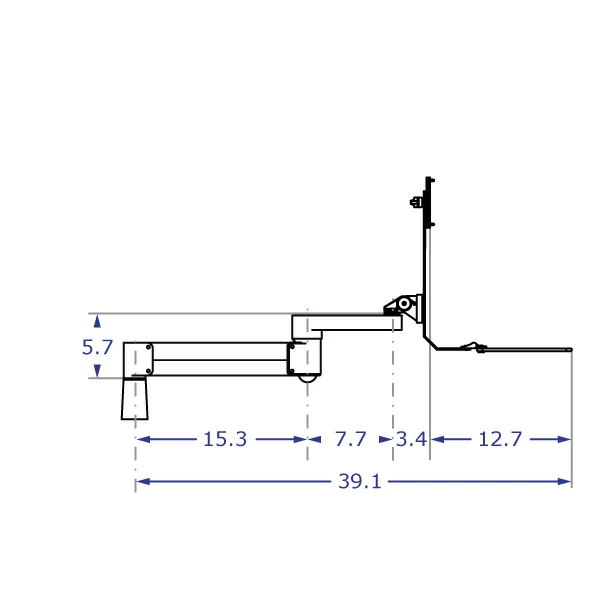
- Tray reaches past 39" from mounting point when extended
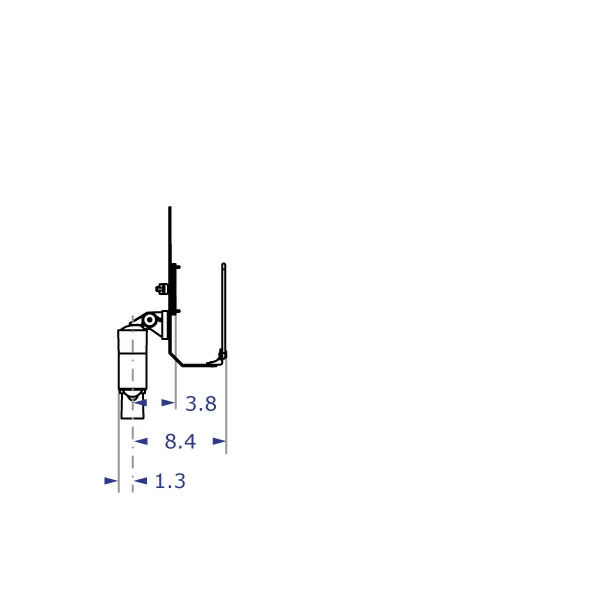
- Folds to within 8.4" of the mounting point when collapsed
- Wire manager routes cables under arm segments
- Effortlessly float LCD monitor
- Works with monitors as light as 2 pounds
- Works with monitors as heavy as 20 pounds
- Choose from Black, Metallic Gray & Matte White
- Adjusts the height of the monitor above the tray
- Mounting Options for wall, desk, poles & slatwall
- Keyboard is securely affixed to tray with Velcro
- Choose a tray with or without a palm rest
- Optional braking system locks arm at any vertical position
- Optional limiters are set to provide precise vertical range limits
- Standard lead time is 2 to 8 business days
- In a hurry? Need Customizing? Questions? Call 888-420-3200 between 8:30 & 6:00 CST
- Please watch our YouTube Video for tips on installing and adjusting the arm component included with this product
The TRS2718 LCD Monitor Arm Keyboard Tray Combo features excellent cable management and substantial reach. It is appropriate for frequent adjustment of height (18" of instant, effortless vertical float) in extended positions. The TRS2718 works with LCD monitors weighing as much as 20 pounds. The system delivers users with an intuitive and logical ease of use and movement. Move the unit by placing hands on either side of keyboard tray. Little effort is required to lower and raise the unit. Knobs or tools are not required after the initial setup unless you choose the option to include the brake and limiters. Choose the 20" tray for keyboard only or the wider 26" keyboard and mouse tray. Both keyboard tray and monitor can be tilted to most required angles. Flip the keyboard tray up and the entire arm can be quickly and compactly positioned out of the way. The arm and tray rotate 360 degrees with three points of articulation while cables are routed beneath both major arm components. Vertical travel limiters and a knob-activated brake are our newest optional items available for the SAA2718/TRS2718/TRP2718/AMD2018.
The purchasing options on this page provide a great deal of flexibility in configuring your product. Please be aware that Mount Kit A and the 2" and 6" Vertical Extensions are not compatible with all components.
| Shipping Weight | Arm: 15 pounds |
| Tray/Backbar: 7 pounds | |
| Shipping Dimensions | 20" Tray: 20" x 18" x 12" |
| 26" Tray: 26" x 18" x 12" | |
| Warranty | 5 year limited |
Professional installation is always recommended for all wall-mounted Ergomart products. Improper installation may result in injury or damage. Consult Ergomart technical support regarding any mounting concerns or questions.
MORE THAN 20 MOUNT OPTIONS
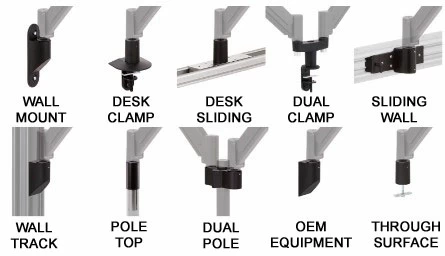
INTEGRATES WITH FOUR SYSTEMS
SERIES-118
VIEW ALL SIMILAR MOUNTING DEVICES
MOUNT KITS
VIEW COMPATIBLE INSTALLATION OPTIONS
EXPLORE
RECENT CUSTOM PROJECTS
LEARN
READ THE SERIES-118 REFERENCE GUIDE
CONSULT
[email protected] | 888 420 3200
|
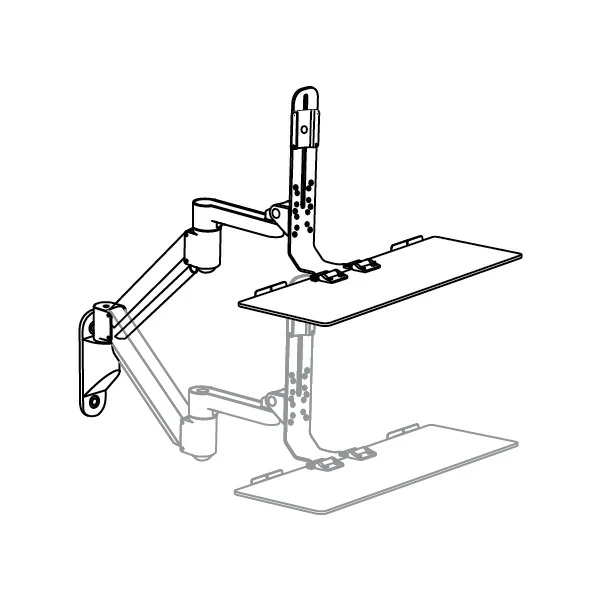
Perspective View
Wall-Mounted High and Low
Positions
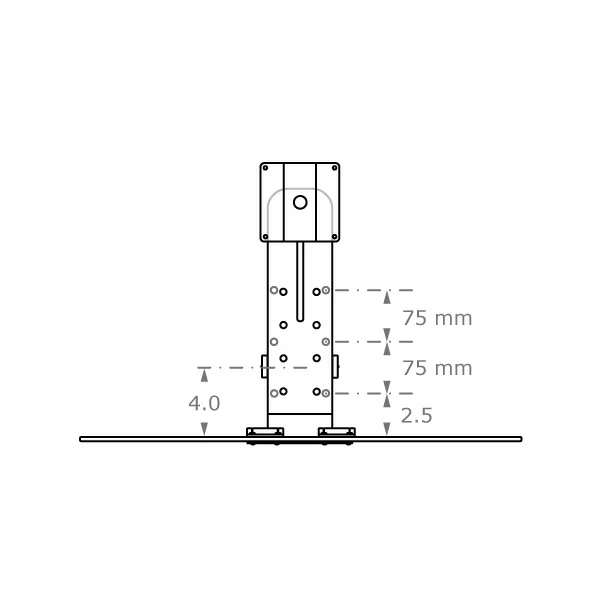
Front View
Backbar and Tray Configuration
Options
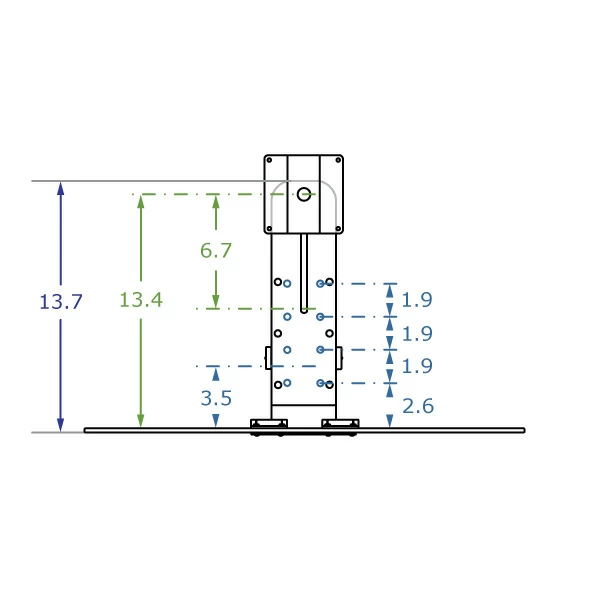
Front View
Backbar and Tray Configuration
Options
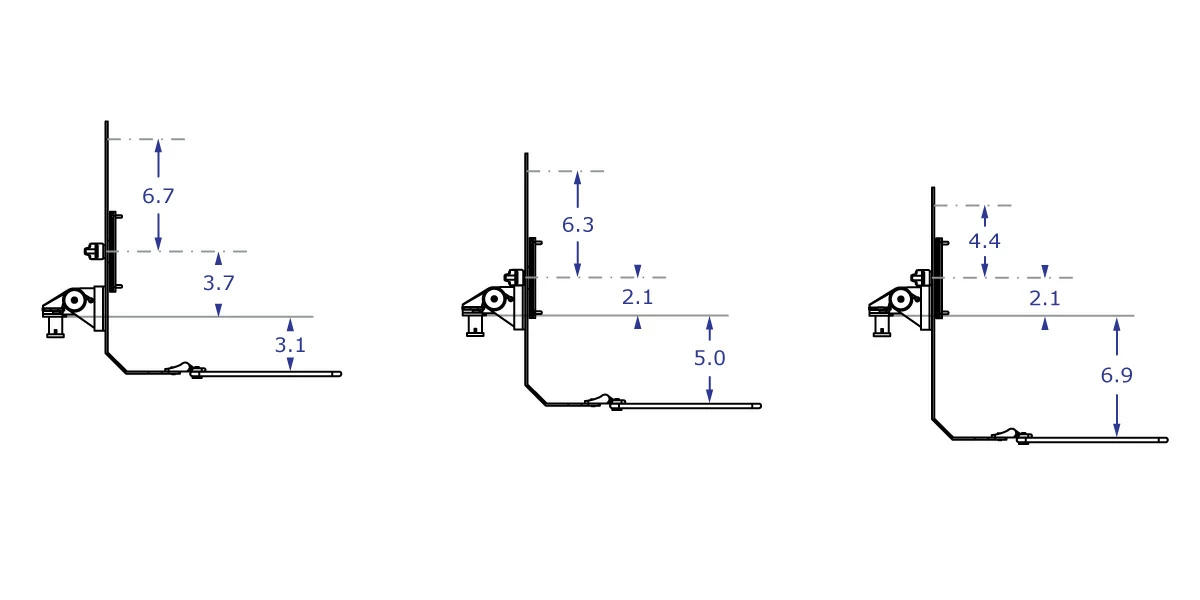
Side View
Monitor Height Relative to Keyboard Tray and Mounting Location
Side View
Full Extension
Side View
Height Adjustment
Side View
Full Retraction
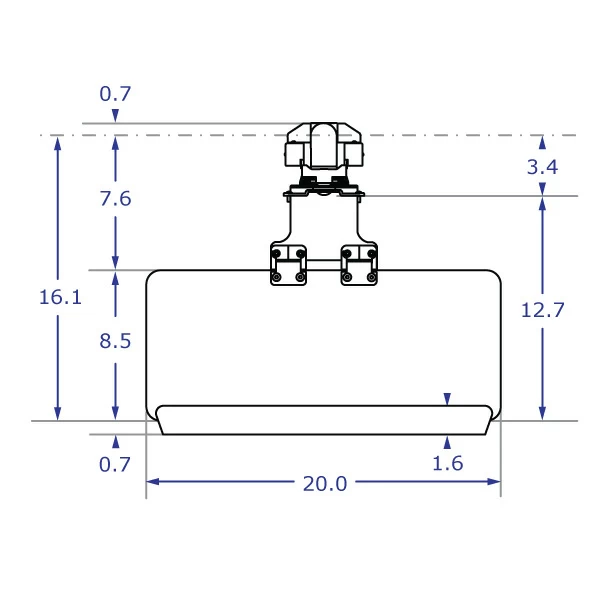
Top View
20" Standard Keyboard Tray
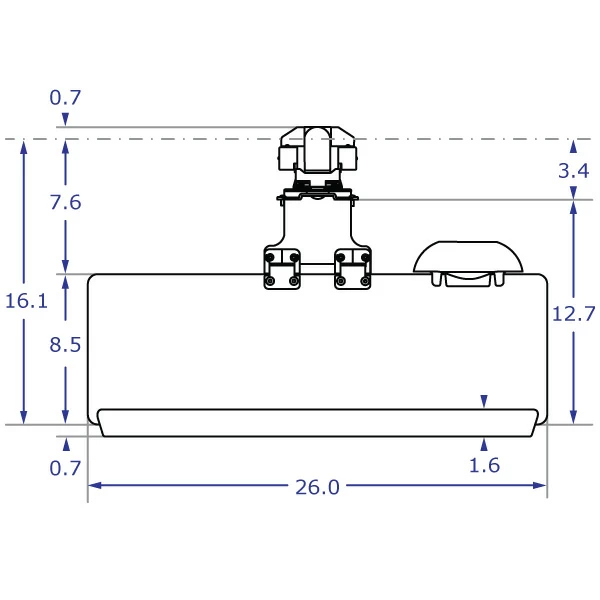
Top View
26" Standard Keyboard Tray
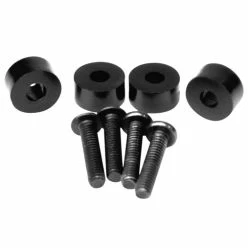
VESA 1/4-inch Spacer Kit
This VESA 1/4-Inch Spacer Kit allows monitors with VESA hole locations that are recessed by 1/4" or less to be attached to an Ergomart VESA plate.
QTY:
$2.10
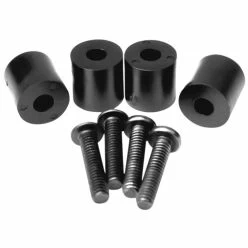
VESA 1/2-inch Spacer Kit
This VESA 1/2-Inch Spacer Kit allows monitors with VESA hole locations that are recessed by 1/2" or less to be attached to an Ergomart VESA plate.
QTY:
$3.15
-
How much vertical travel does this arm have?
-
Will this LCD monitor arm work if I mount it to the edge of my drafting table?
No, not if the drafting table's surface is positioned at an angle. This monitor arm MUST be mounted to either a horizontal surface or a vertical surface to function properly.
-
Can I mount this upside down to the ceiling or to the bottom of a surface?
No, this particular setup cannot be mounted to the ceiling or to the bottom of surfaces. However, Ergomart does have solutions that would work in those situations. Please contact us for options: 888 420 3200 or 214 742 6066 or [email protected].
-
What does the 5 Year Limited Warranty actually cover?
The warranty is five years from the ship date of the product and covers the arm and data entry system against premature wear and defects. The gas spring cylinder is covered to maintain 95% of its stated maximum load at the time of purchase. Performance in 24/7 environments is warranted at 3 years. Customers pay for shipping of their product back to the factory for repairs. ALL returned products must have a return authorization, which is provided by Ergomart via fax or email.
-
Ergomart's Flexmount says that its through-desk configuration only goes up to 1.75 inches. My work surface is too thick to use that configuration. Is there a through desk option for me?
Please call Ergomart to request a custom bolt that is long enough to fit your needs: 800 420 3200.
-
Is Landscape to Portrait rotation possible with this Arm and Data Entry Combo?
Absolutely! The height-adjustable slider VESA plate allows for full 360° rotation of the monitor while keeping the keyboard tray stationary. The thumbscrew behind the monitor can be used to adjust the friction-resistance to rotation.
-
Can I mount an Apple iMac or Cinema Display on this combo?
No, but, we do have other products that handle iMacs and Cinema Displays. You might consider a Heavy Duty TRS2415 Arm and Data Entry Combo to accommodate monitors and iMacs weighing approximately 30 pounds.

More Products You Might Find Interesting
-
 MODULAR PM40 Pole Mount Bracket with Keyboard Tray
From $336.25